How AI Can Read Your Screen and Tell You the Answer
You know that moment. You're stuck inside some software, staring at a settings panel with forty toggles, and you have no idea which one does the thing you need. So you open a new tab, type your problem into Google, land on a forum thread from 2019, and the top answer says "just go to Preferences" — for a version of the app that no longer exists.
Then you try to describe your problem to an AI chatbot. Except now you're playing a weird game of telephone: you describe your screen in words, the AI imagines what you might be looking at, and gives you instructions for something slightly different. "Click the export button in the top right." There is no export button in the top right.
The problem was never the AI's intelligence. The problem was that it couldn't see.
What "screen-reading AI" actually means
Modern AI models are multimodal — they can process images the same way they process text. Show one a screenshot and it doesn't just see pixels; it recognizes buttons, menus, error messages, form fields, the whole layout. It understands that the red banner at the top is an error, that the grayed-out button means something is disabled, and that the tiny gear icon is where your settings live.
A screen-reading assistant puts this to work in the most direct way possible:
- You ask a question. "Why is this export failing?" or "How do I add a keyframe here?"
- It captures your screen. One screenshot, of exactly what you're looking at, right now.
- It answers based on what it sees. Not generic advice for some imagined version of your app — instructions for your screen, in its current state.
That last part is the whole difference. When the AI can see the same thing you see, "click the export button" becomes "click the blue Render button in the bottom right of the Render Queue panel." No translation layer. No describing your screen in words. No guessing.
Where this gets genuinely useful
Complicated software. Video editors, 3D tools, DAWs, spreadsheets — anything with a thousand buried menus. Instead of pausing your work to hunt through YouTube tutorials, you ask while the tool is open in front of you.
Error messages. Cryptic errors are basically a universal experience. A screen-reading assistant reads the exact error, sees the context around it, and tells you what it actually means.
Learning new tools. The fastest way to learn software is having someone next to you saying "no, that one, click that one." Screen-reading AI is that person, minus the scheduling.
Anything with steps. Filling out a confusing form, configuring a router, navigating a government portal. Whenever the answer is "what do I click next," an AI that can see your screen just... tells you.
Meet Chitron
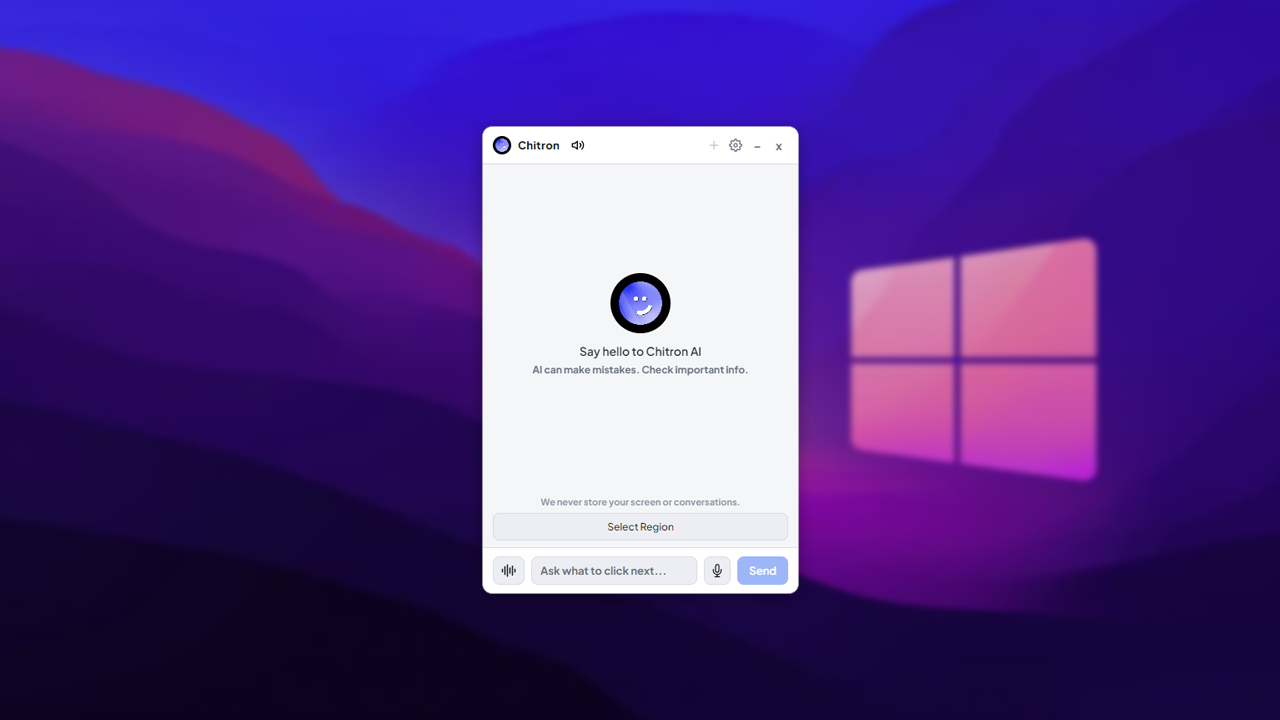
This is exactly what Chitron does. It's an AI desktop assistant for Windows that sits always-on-top of whatever you're working in. Stuck anywhere? Ask. It captures your screen, reads that frame, and gives you a clear answer with click-by-click guidance.
A few things worth knowing about how it's built:
It only looks when you ask. Chitron isn't recording your screen all day. It captures a single frame at the moment you ask a question, uses it to answer, and that's it.
Nothing is stored. Your screenshots aren't saved on servers, indexed, or used to build a profile of you. Everything's encrypted in transit, and it pauses on sensitive apps.
It stays out of your recordings. Chitron can hide itself from screen sharing and recordings — useful if you're on a call or making content and don't want your assistant showing up in the frame.
It talks, too. There's a live voice mode, so you can just speak your question while your hands stay on the keyboard.
The free tier gets you screen reading, 20 chat messages, and 5 minutes of voice mode — enough to see if it clicks for you. Pro is $25/month for unlimited chat and 150 minutes of voice.
The bigger shift
For years, getting help with a computer meant leaving the thing you were doing. Open a browser. Search. Read. Come back. Try to map the instructions onto your actual screen. Fail. Repeat.
Screen-reading AI collapses all of that into one step: ask the question where the problem is. It's a small change in mechanics but a big change in how it feels — less like searching for help, more like having someone who knows the software sitting next to you.
The AI that understands everything on your screen isn't a future thing. It's a download.